

Mobile APP
Funds-Fund Search

Customers
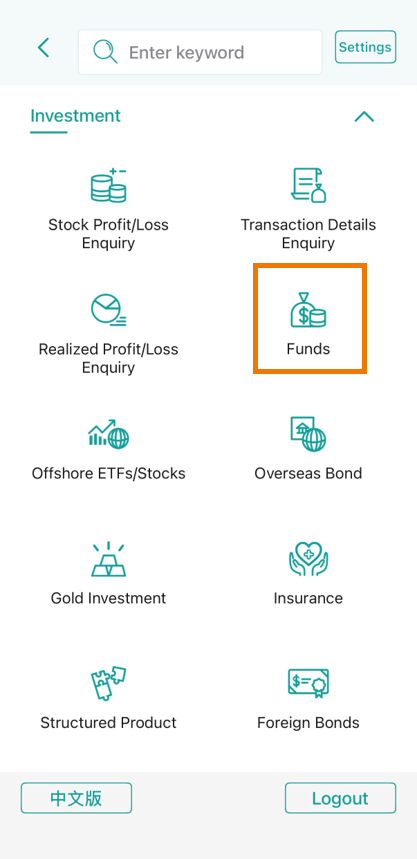
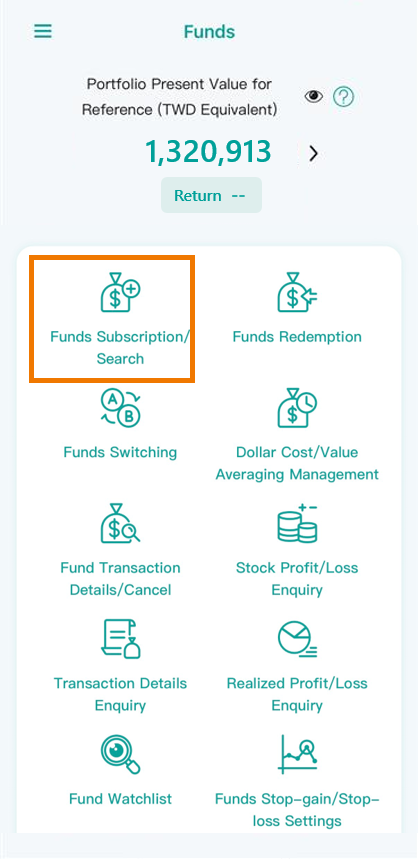
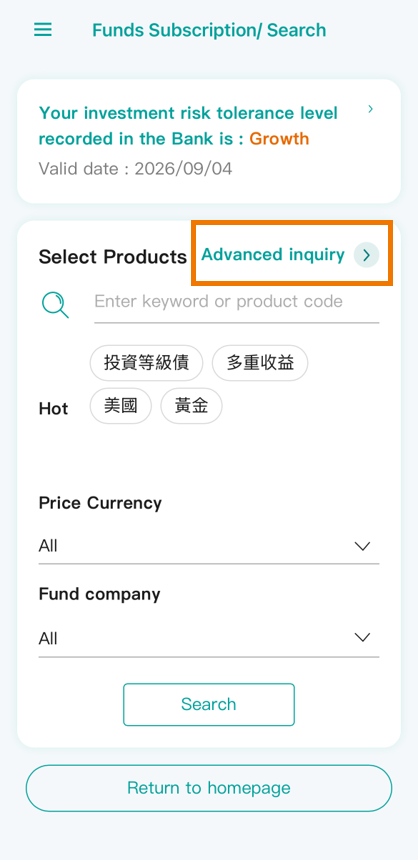
STEP 1:Sidebar > Investment > Funds > Funds Subscription/Search
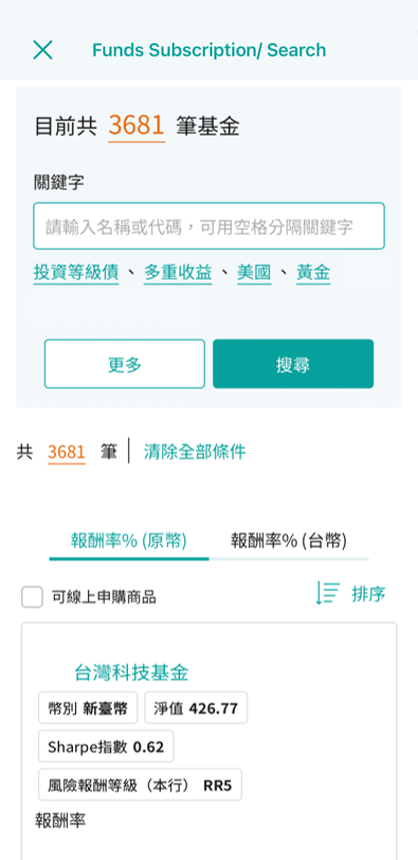
STEP 2:Tap “Advanced inquiry” to access the full search features.
Funds-Fund Subscription Fee Calculator
Customers
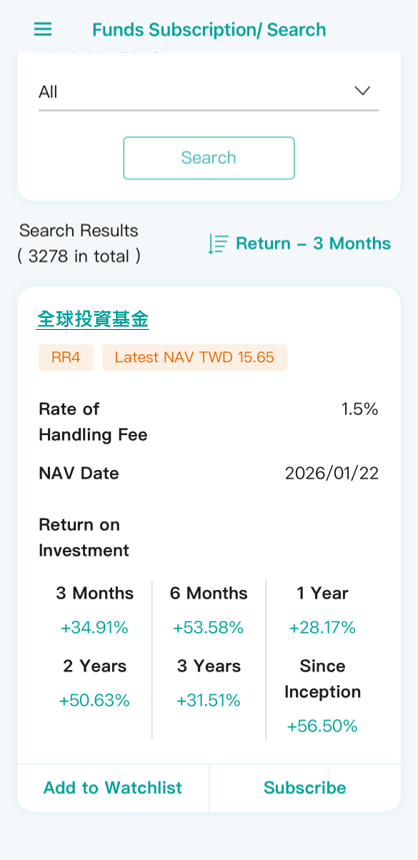
STEP 1:Sidebar > Investment > Funds > Funds Subscription/Search
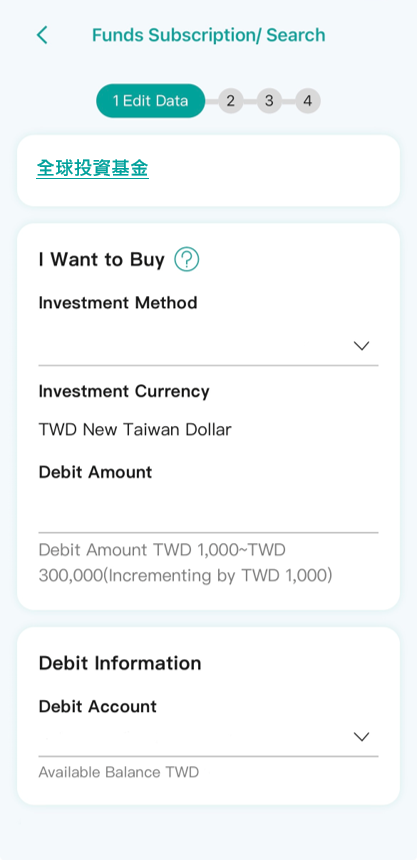
STEP 2:Search for the fund you want to subscribe to > Subscribe
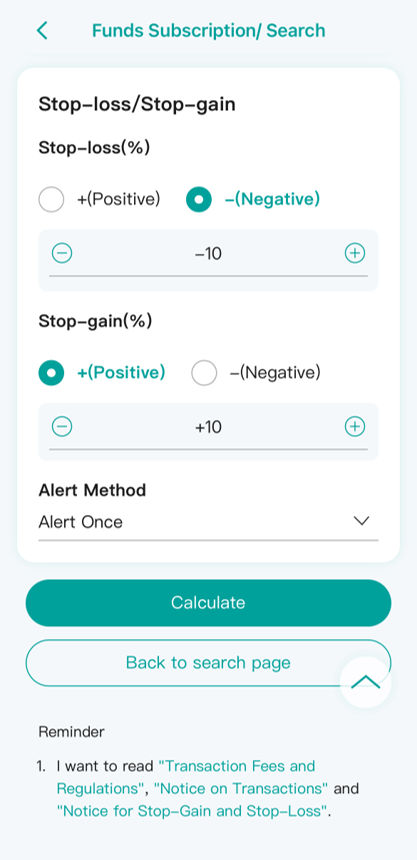
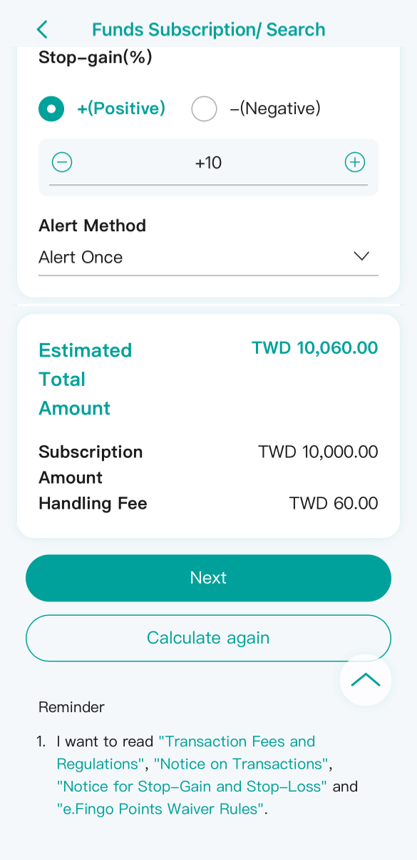
STEP 3:Enter the intended subscription amount, then tap “Calculate ” to view the estimated fees for both the Lump-sum Investment and Regular Saving Plan.
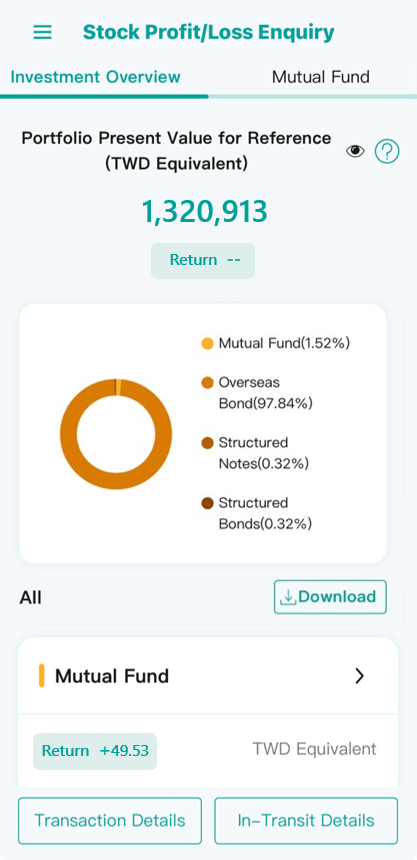
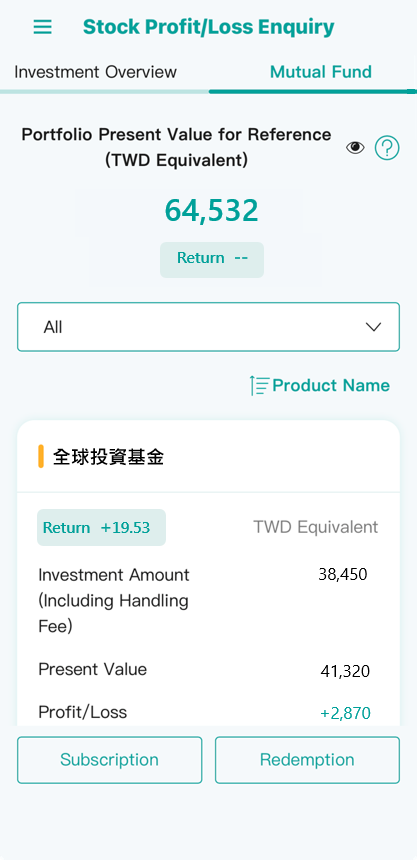
Investment - Optimization of Stock Profit/Loss Enquiry Interface
Customers
STEP 1:Sidebar > Investment > Stock Profit/Loss Enquiry
STEP 2:You can view the overall stock profit/loss for the product.
STEP 3:Click into each product to view the profit/loss for each investment and its current value in TWD.
STEP 4:Expand each investment product to view its current value in original currency.
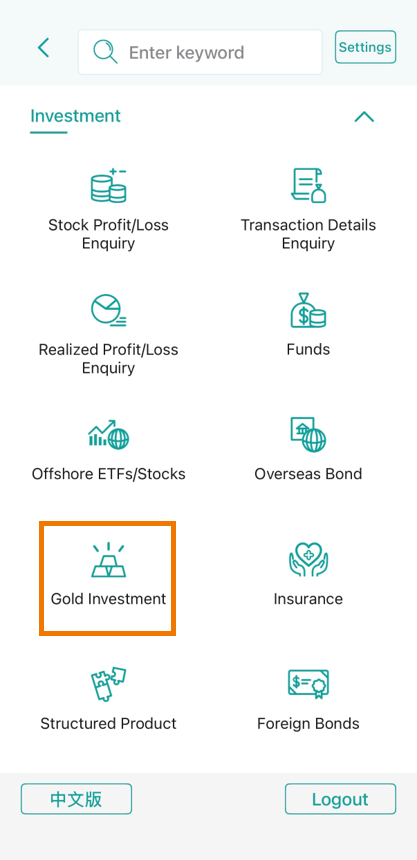
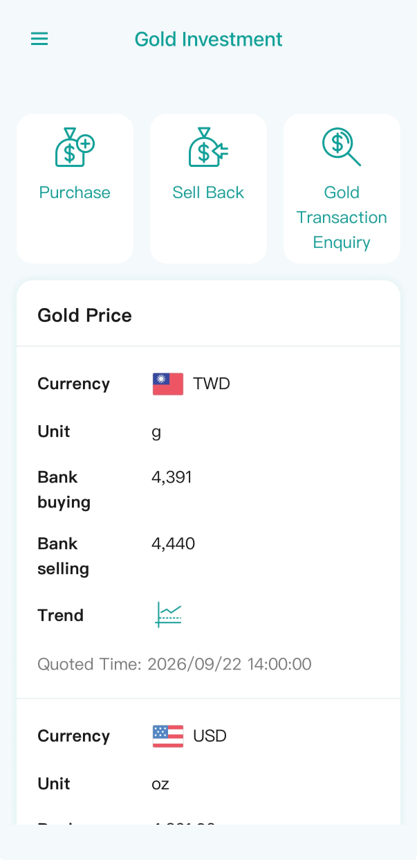
Gold Investment
Customers
STEP 1:Sidebar > Investment > Gold Investment
STEP 2:Tap “Purchase” to place a buy order.
Coupon
Customers
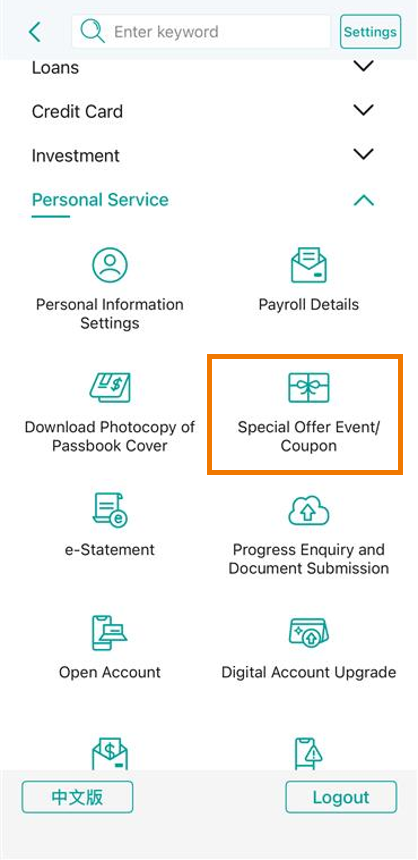
STEP 1:Sidebar > Personal Service > Special Offer Event/Coupon
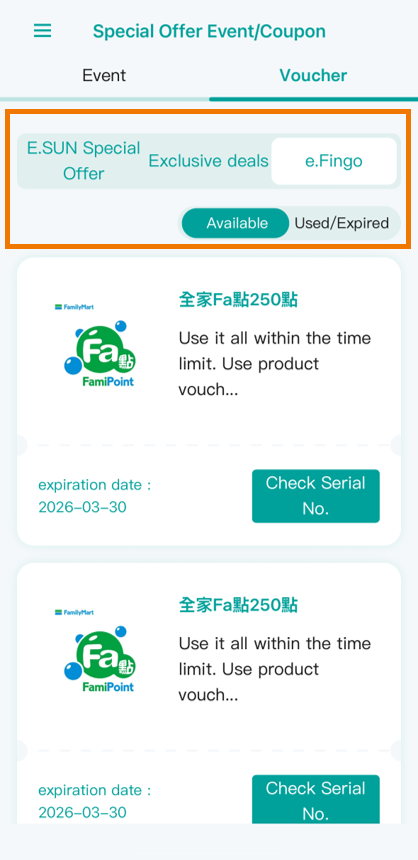
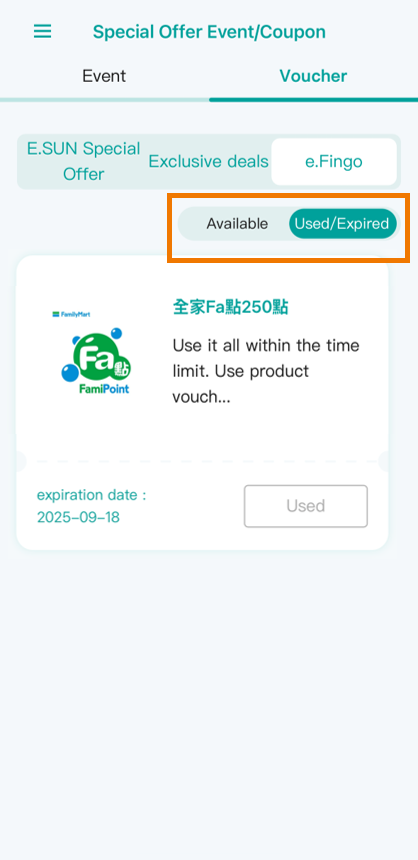
STEP 2:Tap “Voucher” and switch between status tabs to view vouchers that are “Available” or “Used/Expired”.
E.SUN Wallet
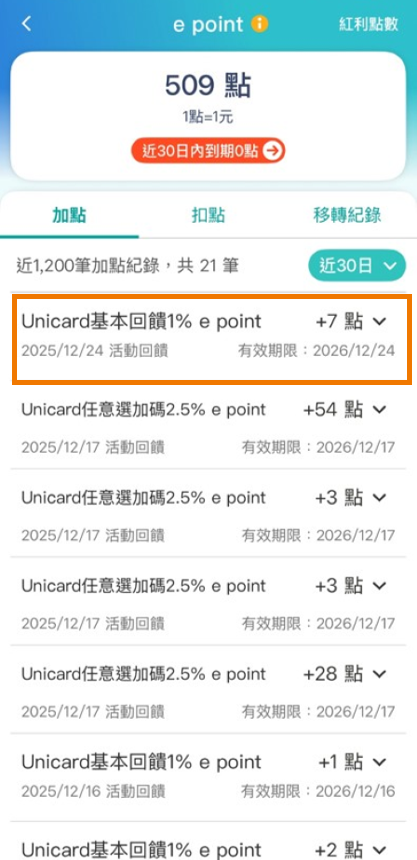
e point Rewards Transaction and Redemption
Customers
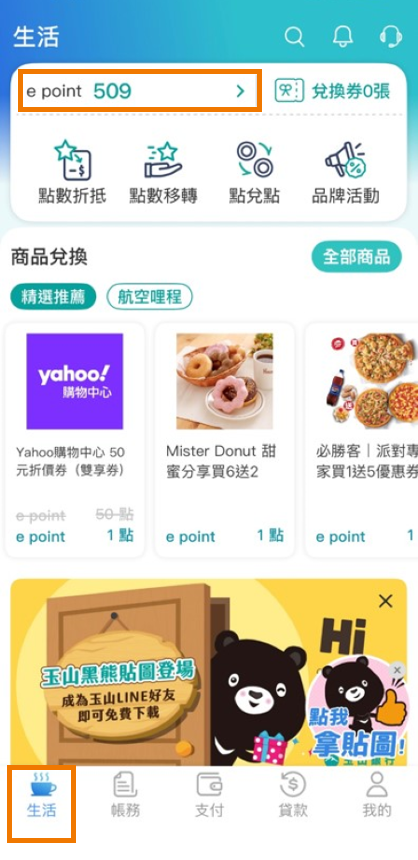
STEP 1:Log in to E.SUN Wallet > 生活
STEP 2:Tap “e point” to view reward details.
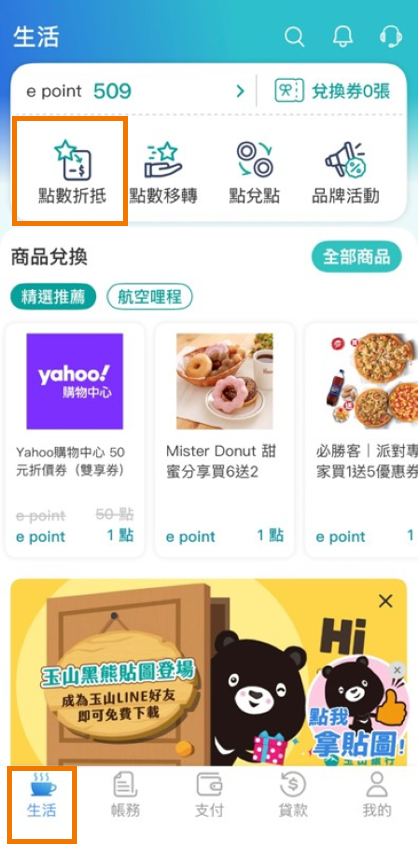
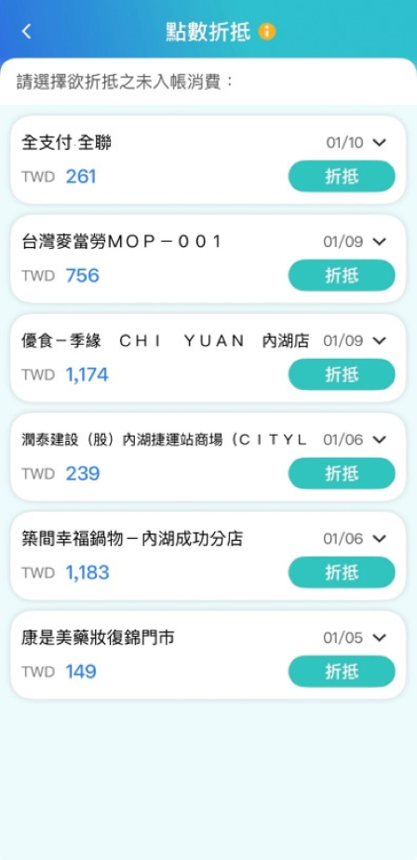
e point Redemption
Customers
STEP 1:Log in to E.SUN Wallet > 生活
STEP 2:Tap “點數折抵” to apply the offset.
Available for Download in More Countries
Customers

Integrated Application
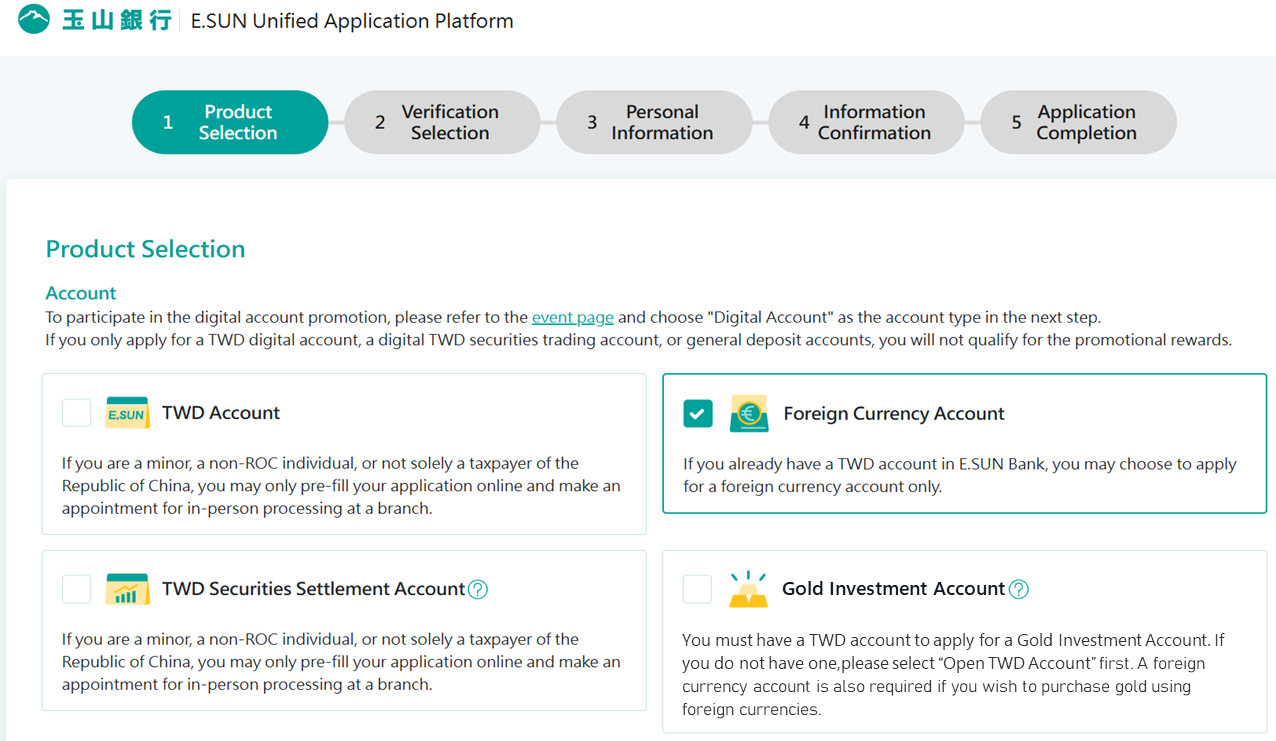
Online Separate Application for Foreign Currency Account
Customers
STEP 1:Access Unified Application Platform
STEP 2:If you already have E.SUN TWD accounts, you can then simply click to open a standalone Foreign Currency Account.
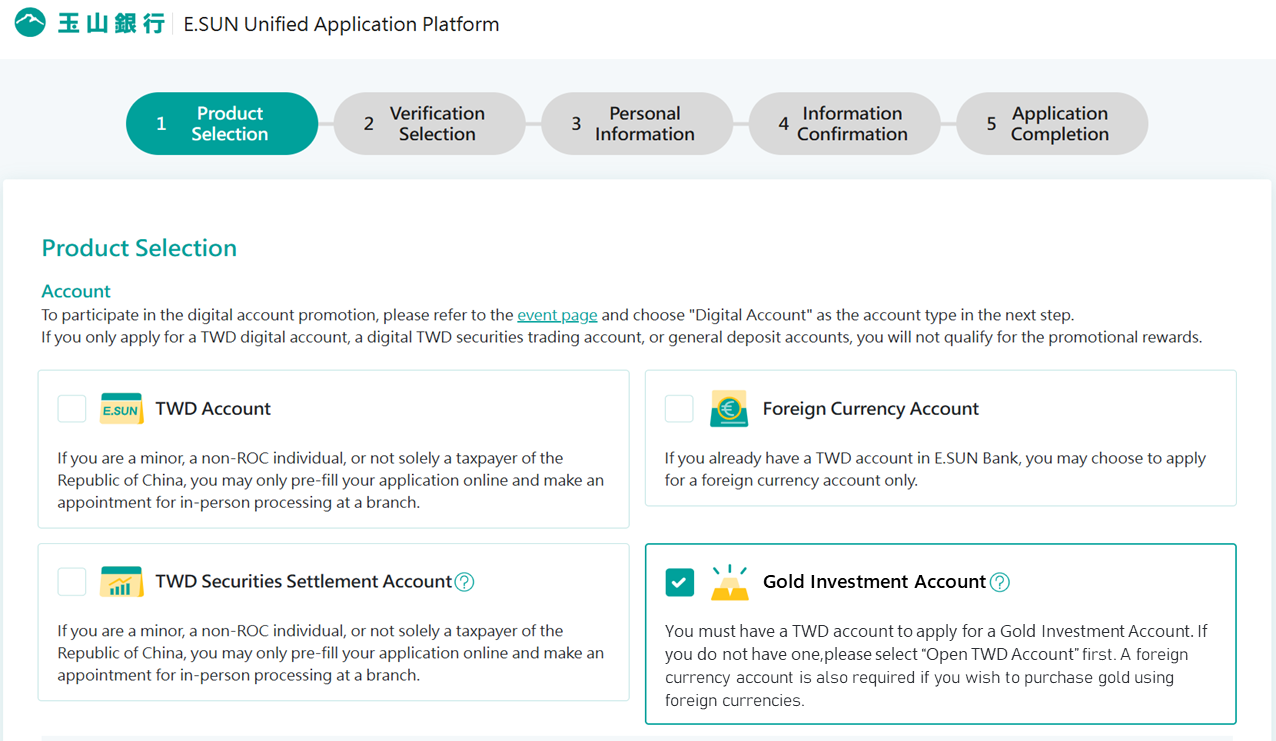
Gold Investment Account Opening Reservation
Customers
STEP 1:Access Unified Application Platform
STEP 2:If you already have E.SUN TWD accounts, you can then simply click to open a Gold Investment Account.
Branch Service
Appointment Page For Opening An Account
Customers
STEP 1:Access Unified Application Platform
STEP 2:Select "General Deposit Account –Schedule an Appointment”
STEP 3:Fill in your personal information.
STEP 4:Select the branch, date, and time for your appointment.
STEP 5:Arrive at the counter at the scheduled time and inform the branch staff of your appointment.